The Role of White Space in Web Design That Converts
White space is an active design tool that guides attention, improves accessibility, signals premium brand quality, and can lift visit-to-lead conversions by up to 400%.
White space in web design is defined as the deliberate empty space between and around visual elements, and it is one of the most powerful tools for guiding user attention, improving comprehension, and signaling brand quality. Most designers know the term. Far fewer treat it as the strategic, measurable asset it actually is. Whether you call it white space or by its technical name, negative space, the principle is the same: what you leave out shapes how users experience what you put in. This article breaks down exactly how negative space works, why it matters for accessibility and conversion, and how to use it with intention.
What is the role of white space in web design?
White space is not blank space. That distinction matters more than most people realize. Passive white space is the natural breathing room that appears between letters, lines, and paragraphs. Active white space is deliberately placed to direct the eye, create emphasis, and establish hierarchy. The role of white space in web design sits firmly in that second category. It is a design decision, not a default.
Strategic use of white space can improve reading comprehension and user engagement by up to 20%. That number represents real users staying longer, absorbing more, and taking action more often. When a page is cluttered, the brain works harder to sort signal from noise. When space is generous and intentional, the brain relaxes and focuses.
The two types of white space work together at different scales:
- Micro white space: The space between letters (tracking), between lines (line-height), and between list items. This affects legibility at the text level.
- Macro white space: The larger gaps between sections, around images, and in page margins. This shapes the overall feel and flow of a layout.
Both types are non-negotiable for a site that performs well. Ignoring either one creates a layout that feels either cramped or chaotic, and users notice even when they cannot name why.
How does white space improve user experience and accessibility?

The cognitive case for white space is well established. Balanced white space helps users scan content more efficiently, reducing cognitive load and improving satisfaction. Think of it this way: your brain processes a clean, spaced layout the same way it processes a tidy room. You know where things are. You feel calm. You can act.
For users with disabilities, white space is not a nice-to-have. White space is a critical accessibility feature according to W3C, helping users with low vision and cognitive disabilities reduce confusion and interaction errors. The Web Content Accessibility Guidelines (WCAG) specifically call out spacing as a design pattern that supports cognitive accessibility. That means your spacing choices have legal and ethical weight, not just aesthetic weight.
Here is what white space in UX design actually does for real users:
- Reduces the chance of accidental taps on mobile, where touch targets need clear separation
- Makes navigation menus easier to parse, especially for first-time visitors
- Helps users with dyslexia track lines of text without losing their place
- Lowers error rates on forms by giving each field room to breathe
- Creates clear visual separation between interactive and static elements
Pro Tip: When reviewing your layout for accessibility, zoom your browser to 200% and check whether your spacing still holds up. If elements start colliding, your micro white space is too tight for users with low vision.
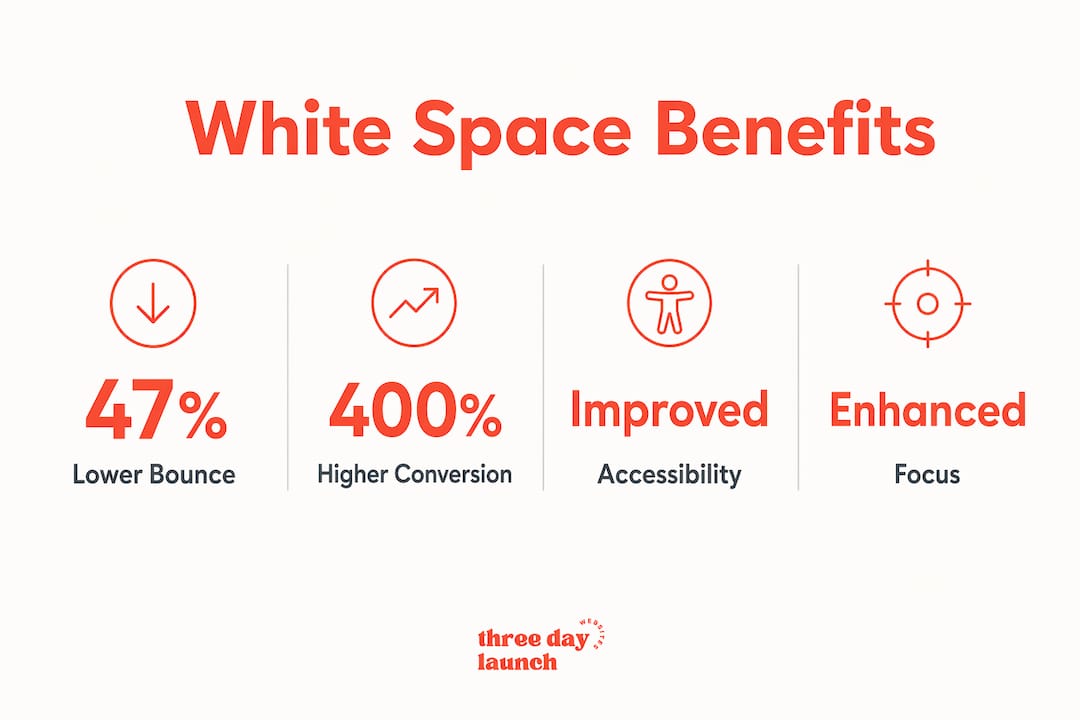
Users abandon websites 47% faster when layouts lack sufficient white space. That is not a small margin. That is nearly half your traffic walking out the door before they ever read your offer.
Does white space affect brand perception and visual hierarchy?
Yes, and the effect is more psychological than most business owners expect. White space signals premium brand quality and confidence, while tight packing suggests bargain or discount brands. Think about the difference between a luxury jewelry website and a discount retail flyer. The jewelry site uses generous margins, isolated product images, and lots of breathing room. The flyer packs in as much as possible. Both approaches are intentional. Both communicate something specific about price and value.
This is not accidental. It connects directly to Gestalt principles, specifically the law of proximity and the law of figure-ground. Elements that are close together are perceived as related. Elements with space around them are perceived as important. When you give your call-to-action button generous padding and surround it with open space, you are telling the user's brain: this matters.
"Generous white space directs user attention strategically rather than being 'empty' or 'wasted' space." — Defending the White Space
The perception of design quality can be directly manipulated by how much or how little white space is used, influencing brand positioning. For coaches, consultants, and service businesses, this is especially relevant. Your website is your first impression. A cramped layout communicates stress and scarcity. A spacious one communicates confidence and authority.
Active white space can raise emphasis and hierarchy more effectively than simply increasing font size or boldness. Before you reach for a larger heading or a bolder color, try adding more space above it. The result is often more powerful and more elegant.
What are the best white space design strategies for web layouts?
Getting white space right is part instinct, part system. Here are the core strategies that actually work in practice:
-
Use a spacing scale. The 8pt grid system is the most widely adopted standard in web design. Every spacing value (padding, margin, gap) is a multiple of 8: 8px, 16px, 24px, 32px, 48px, 64px. This creates visual consistency across the entire layout without requiring you to make a new decision every time.
-
Separate micro from macro decisions. Set your line-height and letter-spacing first, then work outward to section padding and page margins. Optimal line-height for web text sits between 1.5 and 1.7. Anything below 1.4 starts to feel cramped on screens.
-
Give CTAs room to stand out. A call-to-action button surrounded by competing elements gets ignored. Surround your primary CTA with at least 40 to 60px of clear space on all sides. The space itself becomes part of the button's visual weight.
-
Adjust spacing for mobile intentionally. Ignoring spacing scales on mobile leads to cramped interfaces that hurt usability. Do not just shrink your desktop spacing. Rethink it. Touch targets need at least 44px of height, and form fields need visible separation to prevent mis-taps.
-
Use the structural test. For every block of white space on your page, ask: does removing this space make the layout clearer or more confusing? If removing it causes confusion, the space is structural and should stay. This test helps you distinguish intentional spacing from accidental gaps.
Pro Tip: Before finalizing any layout, view it in grayscale. Without color to guide the eye, white space becomes the primary tool for hierarchy. If the page still reads clearly in grayscale, your spacing is doing its job.
Here is a quick comparison of micro versus macro white space in practice:
| Type | Where it appears | Primary effect |
|---|---|---|
| Micro white space | Letter-spacing, line-height, list item gaps | Legibility and reading comfort |
| Macro white space | Section padding, image margins, page gutters | Visual hierarchy and brand feel |
Balancing both types is what separates a layout that looks designed from one that just looks assembled.
Let's Launch Your Strategic Coaching Website
Your first step is to book a free call so we can get your questions answered.
Book A Free CallHow does white space affect conversion rates and engagement?
This is where the business case gets hard to ignore. Well-designed UX using white space can increase visit-to-lead conversion rates by up to 400%. That figure comes from real UX optimization work, and it reflects what happens when users can actually find and act on what they came for. Cluttered layouts create friction. Friction kills conversions.
Here is how to measure whether your white space is working:
- Heatmaps: Tools like Hotjar and Microsoft Clarity show where users click and where they stop scrolling. Dead zones often indicate too much empty space with no visual anchor. Dense click clusters in unexpected areas often indicate that users are confused about where to go.
- Scroll depth analytics: If users are not scrolling past your hero section, your above-the-fold spacing may be so heavy that it signals "this is the whole page."
- A/B testing: Test two versions of a landing page with different padding values around your primary CTA. Even a 16px difference in surrounding space can shift click-through rates measurably.
- Bounce rate by device: Mobile bounce rates that are significantly higher than desktop often point to spacing issues on smaller screens.
For coaches and service businesses, the benefits of white space design show up most clearly in lead capture forms and booking pages. A form with cramped fields and no visual separation between sections feels like a tax return. A form with generous spacing and clear grouping feels like a conversation.
The goal is not maximum white space. It is calibrated white space. Too little creates chaos. Too much creates a page that feels unfinished or sparse. The sweet spot is found through testing, not guessing.
Key takeaways
White space is an active design tool that directly controls user attention, brand perception, and conversion rates across every type of website.
| Point | Details |
|---|---|
| White space is active, not passive | Deliberate spacing guides user focus and establishes visual hierarchy more effectively than color or size alone. |
| Accessibility depends on spacing | W3C guidelines identify white space as critical for users with cognitive disabilities and low vision. |
| Brand quality is communicated through space | Generous layouts signal premium positioning; cramped layouts signal discount or low-trust brands. |
| Use a spacing scale for consistency | The 8pt grid system creates predictable, cross-device spacing that prevents cramped mobile layouts. |
| Conversion rates respond to spacing | Strategic white space around CTAs and forms can increase visit-to-lead conversions by up to 400%. |
Why "wasted space" is the most expensive mistake I see coaches make
I have reviewed hundreds of coaching websites, and the single most common mistake is not bad copy or weak branding. It is the instinct to fill every pixel. Coaches pour so much into their message that they want all of it visible, all at once, above the fold. I get it. The struggle is real when you have worked hard on your content and it feels wrong to hide any of it.
But here is what I have learned from watching real users interact with those pages: when everything competes for attention, nothing wins. The eye does not know where to go, so it goes nowhere. The user bounces.
The hardest conversation in any design project is telling a client that their page needs less, not more. Stakeholders often read white space as laziness or as money left on the table. My approach is to show them the data first. When you can point to a 47% faster abandonment rate on cluttered layouts, the conversation shifts from opinion to evidence.
What I tell every coach we work with at Three Day Launch is this: your white space is not empty. It is working. It is telling your visitor's brain where to look, what matters, and why they should trust you. A spacious layout does not say "we ran out of things to say." It says "we are confident enough to let our message breathe."
The impact on lead generation for professional service businesses is real and measurable. Defend your white space. It is one of the best investments your design budget can make.
— Three Day Launch
Get a website that uses white space the right way
If you are a coach who wants a site that actually converts visitors into clients, the design details matter more than most people think. White space is one of them.

At Three Day Launch, we build fully custom, multi-page coaching websites in just three days. No templates, no guesswork, and no layouts that cram everything above the fold and hope for the best. Every site we build is designed with intentional spacing, clear visual hierarchy, and conversion in mind. Coaches in life, finance, and health coaching have seen real results from organic traffic shortly after launch. If you are ready for a site that works as hard as you do, we are ready to build it.
FAQ
What is white space in web design?
White space, also called negative space, is the deliberate empty area between and around design elements on a webpage. It includes margins, padding, line-height, and section gaps, and it actively guides user attention and improves readability.
How does white space affect user experience?
White space reduces cognitive load by giving the brain clear visual separation between elements, making content easier to scan and act on. Research shows it can improve reading comprehension and engagement by up to 20%.
Is white space important for mobile design?
White space is especially critical on mobile, where touch targets need clear separation to prevent mis-taps and cramped layouts cause users to abandon pages faster. Consistent spacing scales, like the 8pt grid, help maintain usability across screen sizes.
Can white space really improve conversion rates?
Well-designed UX that incorporates strategic white space can increase visit-to-lead conversion rates by up to 400%, particularly when space is used to isolate and emphasize calls-to-action and lead capture forms.
What is the difference between micro and macro white space?
Micro white space refers to spacing at the text level, such as line-height and letter-spacing, while macro white space refers to larger gaps between sections, images, and page margins. Both types work together to create a layout that feels clear and intentional.