How to Connect a Payment Processor to Your Coaching Website
Connecting a payment processor to your coaching website links a gateway or merchant account to your site so clients can pay for sessions, programs, and memberships without friction. Here are the four integration methods and a six-step setup.
Connecting a payment processor to your coaching website is defined as linking a payment gateway or merchant account to your site so clients can pay for sessions, programs, and memberships without friction. This single technical step separates coaches who get paid on autopilot from those chasing invoices. Four primary integration methods exist for coaches: embedded platform payments, direct API integration, third-party cart tools, and dedicated merchant accounts. Each suits a different stage of business growth, and choosing the wrong one early can cost you time, money, and clients. The good news? Setup can take anywhere from a few hours to seven days, depending on the path you pick.
How to connect a payment processor to your coaching website
Coaches have four real options when it comes to integrating a payment processor. Understanding what each one actually does for your business makes the choice much clearer.
Platform-embedded payments
Embedded payments are built directly into course or membership platforms. You connect a payment account inside the platform's dashboard, and it handles the checkout experience for you. This is the fastest setup for beginners, often taking under an hour. The catch is real: platform policy changes can disrupt your payments overnight because the platform controls the merchant relationship, not you. A single algorithm flag can freeze payments for every creator on that platform simultaneously.
Direct API integration
A direct API integration connects your website's code to a payment provider's system. You get complete control over the checkout experience, branding, and payment flow. The tradeoff is that API integrations require developer maintenance and ongoing technical oversight. This option suits coaches who have a developer on hand or who run high-volume businesses where custom checkout flows directly affect conversion rates.

Third-party cart tools
Third-party cart tools sit between your website and your payment provider. They handle the checkout page, order bumps, and upsells without requiring custom code. This is the middle ground: more control than embedded platforms, less complexity than a full API build. Coaches using WordPress or similar sites often find this the most practical starting point.
Dedicated merchant accounts
Dedicated merchant accounts take 3–7 business days to approve and are best suited for coaches processing $10,000 or more per month. They come with named support contacts, chargeback defense tools, and underwriting specific to your business model. For high-ticket coaching programs, this is the most stable long-term option.
Pro Tip: If you are just starting out, use an embedded or third-party solution to get paid fast. Plan to move to a dedicated merchant account once your monthly volume consistently exceeds $10,000.
Step-by-step: how to set up a payment system for your coaching site
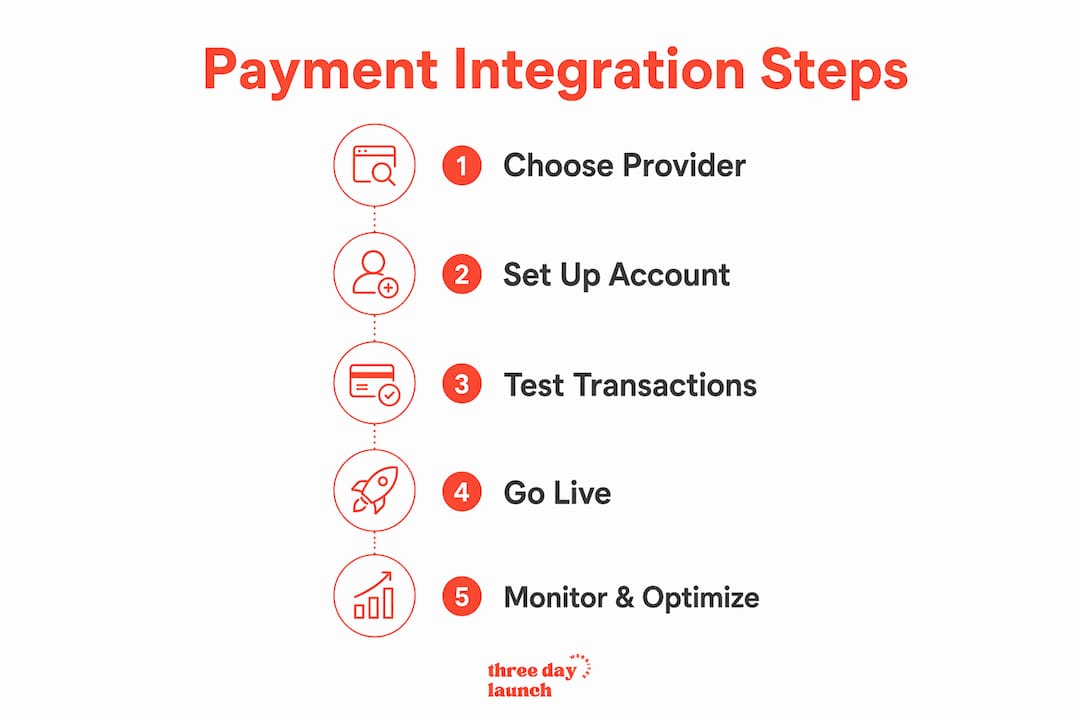
Payment integration follows six core steps, and the total timeline ranges from one to seven days depending on your chosen method. Here is how to work through each one.
-
Choose your payment provider. Match the provider to your business model. A life coach running group programs needs different features than a finance coach selling one-on-one retainers. Look for providers with coaching-specific underwriting and chargeback support.
-
Set up your merchant account. Submit your business details, bank account information, and identity verification documents. Dedicated merchant accounts require the most documentation. Embedded platform accounts often need only basic information.
-
Acquire your API credentials. Your provider will issue a publishable key and a secret key. The publishable key goes in your front-end code. The secret key never leaves your server. Keep these credentials secure from day one.
-
Install the plugin or write the API code. If you use WordPress, a WooCommerce payment plugin is often the fastest path. For WooCommerce setup tips specific to small business owners, the plugin route cuts setup time significantly. Custom API code gives you more control but requires a developer.
-
Configure currency, webhooks, and notifications. Set your default currency, configure webhook endpoints so your site receives real-time payment updates, and set up email notifications for successful payments, failed charges, and refunds.
-
Test in the sandbox environment. Every major payment provider offers a sandbox mode with test card numbers. Run successful payments, declined cards, and refund scenarios before you go live. This step catches errors that would otherwise cost you real money.
Pro Tip: Never skip sandbox testing, even if the integration looks clean. Test at least five scenarios: successful payment, declined card, expired card, refund, and webhook retry.
| Step | Action | Typical time |
|---|---|---|
| Choose provider | Research and select based on volume and risk profile | 1–2 hours |
| Merchant account setup | Submit documents and await approval | 1–7 days |
| API credentials | Generate keys in provider dashboard | 15 minutes |
| Plugin or API install | Install plugin or deploy code | 1–4 hours |
| Configuration | Set currency, webhooks, notifications | 30–60 minutes |
| Sandbox testing | Run test transactions across scenarios | 1–2 hours |
Best practices for secure payment processing on coaching sites
Security and reliability are not optional extras. They are the foundation of a payment system your clients will trust and your business can depend on.
-
Keep API keys server-side. Never expose secret API keys in client-side code. Use a server endpoint to create PaymentIntents and handle sensitive operations. This is a core PCI compliance requirement, not just a best practice.
-
Use idempotent webhook handlers. Assign a unique payment ID to every transaction and verify it before processing. Network issues cause webhook events to retrigger, and without idempotency checks, you risk charging clients twice.
-
Understand your risk classification. Standard processors often classify coaching as high-risk because of outcome disputes that lead to chargebacks. Dedicated merchant accounts provide pre-approved underwriting and chargeback defense tools that generic processors do not offer.
-
Consider interchange-plus pricing. Interchange-plus pricing reduces processing costs by 25–40% compared to flat-rate processors. Flat-rate processors typically charge 2.9–3.5%, while interchange-plus often lands between 2.2–3.0% all-in for coaching businesses. At scale, that difference adds up fast.
-
Write a clear refund policy. Chargebacks often happen because clients do not know how to request a refund. A visible, plain-language refund policy reduces disputes before they start.
Coaching-specialist payment providers offer named account managers and reduce the risk of high-risk category terminations. If your coaching business depends on uninterrupted payment processing, working with a provider that understands coaching-specific chargeback patterns is one of the highest-leverage decisions you can make.
Let's Launch Your Strategic Coaching Website
Your first step is to book a free call so we can get your questions answered.
Book A Free CallTroubleshooting common payment processing problems
Even a well-built integration runs into issues. Knowing what to look for saves you hours of frustration.
-
API errors during setup. Most API errors during initial integration come from incorrect key usage. Double-check that you are using the publishable key on the front end and the secret key only on the server. Mismatched environments (using live keys in sandbox mode) are another common culprit.
-
Account suspension risks. Standard processors suspend coaching accounts without warning when chargeback rates climb. If you receive a suspension notice, contact your provider immediately and provide documentation of your refund policy and client communication records. Coaches using coaching-specific platforms with built-in payment risk management face fewer sudden suspensions.
-
Webhook failures. Webhooks fail when your server is down, your endpoint URL changes, or your server returns an error code. Set up webhook logging so you can see exactly which events failed and when. Most providers allow you to manually resend failed webhook events from their dashboard.
-
Duplicate charges. Duplicate charges almost always trace back to webhook handlers that process the same event twice. Implement the idempotency check described above: store the unique payment ID and reject any duplicate event before it triggers a charge.
-
Chargebacks and disputes. Respond to every chargeback with documentation: the signed coaching agreement, session records, and any client communication showing service delivery. Providers with coaching-specific underwriting often assign a support contact who can guide you through the dispute process.
When issues persist after your own troubleshooting, escalate to provider support with specific error codes and timestamps. If a provider cannot resolve recurring account stability problems, switching to a dedicated merchant account built for coaching businesses is the right call.
Key Takeaways
Coaches who choose the right payment integration method from the start avoid the account suspensions, duplicate charges, and chargeback losses that derail businesses built on generic processors.
| Point | Details |
|---|---|
| Match method to business size | Use embedded payments to start; move to a dedicated merchant account above $10,000 per month. |
| Follow the six-step setup | Choose provider, set up account, get API keys, install code, configure settings, and test in sandbox. |
| Protect API keys always | Keep secret keys server-side only to maintain PCI compliance and prevent fraud. |
| Use idempotent webhooks | Assign unique transaction IDs to prevent duplicate charges from network retries. |
| Choose coaching-aware providers | Providers with coaching-specific underwriting reduce suspension risk and support chargeback defense. |
What I have learned after helping coaches get paid online
Here is the uncomfortable truth most articles skip: the payment processor is rarely the hard part. The hard part is building a website that makes clients confident enough to enter their card details in the first place. A clunky, template-looking site with a bolted-on checkout form loses clients before they ever reach the payment step.
We have seen coaches spend weeks getting their payment integration technically perfect, only to wonder why conversions are low. The answer is almost always the site itself. Trust signals, clear program descriptions, and a checkout experience that feels intentional all matter as much as the processor behind it.
The other thing I would tell every coach: do not let the fear of "getting it wrong" push you toward the easiest option forever. Embedded platform payments are fine for month one. But if you are still on a platform-controlled payment setup at month twelve, you are one policy update away from a very bad week. Build toward owning your merchant relationship. It is worth the extra setup time.
Finally, think about moving your coaching business online as a system, not a series of disconnected tools. Your payment processor, your booking flow, your email list, and your website should all talk to each other. Coaches who build that connected system early grow faster and spend less time on admin. The ones who patch things together as they go spend more time fixing problems than serving clients.
Your coaching site and payments, live in three days
Getting your payment setup right starts with having a website that is actually built to convert.

Three Day Launch builds custom, multi-page coaching websites in three days, with payment processor integration included from the start. No templates, no months of back-and-forth, and no wondering whether your checkout will work when a client is ready to buy. Coaches in life, finance, and health have used Three Day Launch to go from zero to a fully functional, client-ready site fast. If you are ready to get your site and payment system live without the usual headaches, Three Day Launch is built for exactly that.
FAQ
What is a payment gateway for coaches?
A payment gateway is the technology that securely transmits client payment data from your website to your bank. It handles encryption, authorization, and transaction confirmation in real time.
How long does payment processor integration take?
Integration timelines range from one to seven days depending on the method. Embedded platform payments take under an hour, while dedicated merchant accounts require 3–7 business days for approval.
Why do coaches get flagged as high-risk by payment processors?
Standard processors classify coaching as high-risk because outcome disputes frequently lead to chargebacks. Dedicated merchant accounts with coaching-specific underwriting reduce this risk significantly.
What is the most cost-effective pricing model for coaching payments?
Interchange-plus pricing is the most cost-effective model for coaching businesses, typically running 2.2–3.0% all-in compared to 2.9–3.5% for flat-rate processors.
How do I prevent duplicate charges on my coaching website?
Use idempotent webhook handlers that verify a unique payment ID before processing each transaction. This prevents network retries from triggering duplicate charges on your clients' cards.